
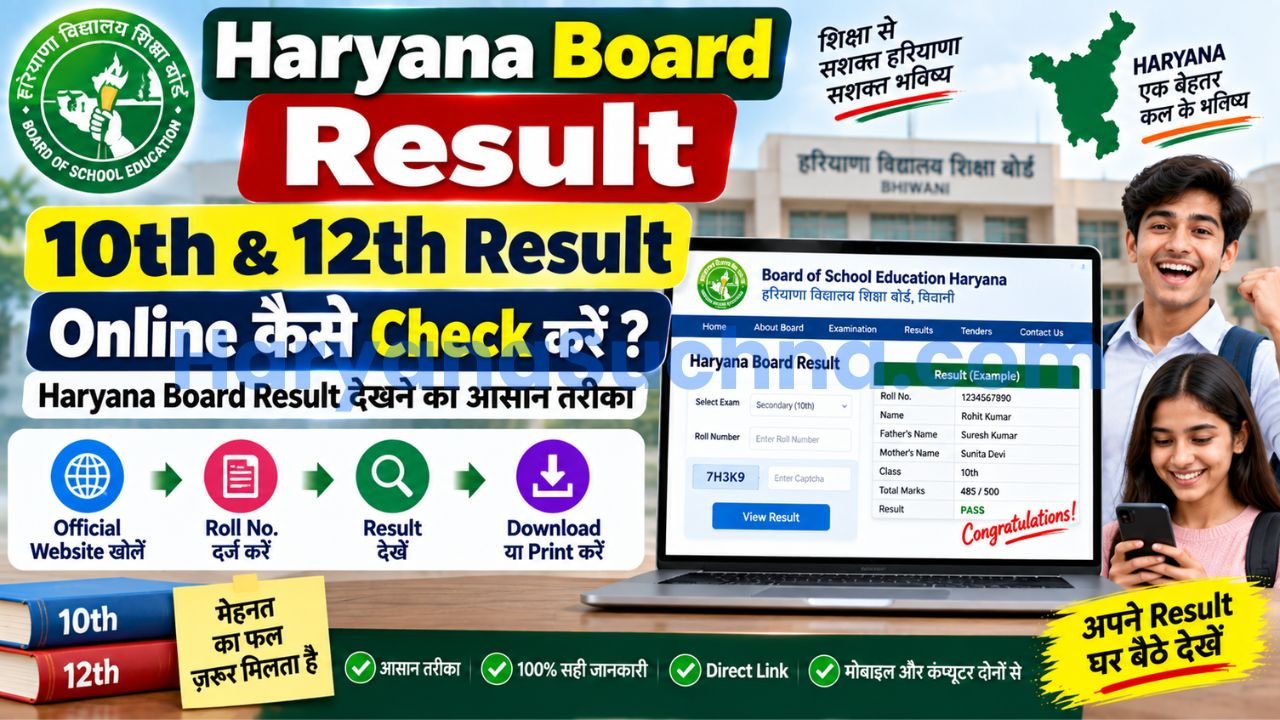
अगर आपने Haryana Board यानी HBSE/BSEH की 10वीं या 12वीं की परीक्षा दी है और result देखना चाहते हैं, तो सबसे भरोसेमंद तरीका Board of School Education Haryana की official website से result check करना है। BSEH की website पर Secondary और Senior Secondary के लिए अलग-अलग result links दिए जाते हैं।
Result देखने के लिए आपको आम तौर पर अपना Roll Number/Exam details तैयार रखनी चाहिए। Result खुलने के बाद marks, result status और दूसरी details को ध्यान से check करें। 2026 में Board ने Class 10 result को DigiLocker पर भी उपलब्ध कराने की जानकारी दी थी, इसलिए online result देखने के एक से ज्यादा official रास्ते हो सकते हैं।
HBSE Result Online कहां Check करें?
Haryana Board की official website bseh.org.in पर Results section उपलब्ध है। Board की current All Results page पर Secondary और Senior Secondary के लिए अलग-अलग examination result links listed हैं। इसमें February/March 2026 के regular examinations के साथ Haryana Open School और दूसरी examinations के results भी अलग-अलग दिए गए हैं।
इसका मतलब यह है कि केवल “HBSE Result” नाम देखकर कोई भी link खोलने के बजाय अपनी class और examination type के अनुसार सही result चुनना जरूरी है।
उदाहरण के लिए 10वीं के student को Secondary Examination वाला result खोलना होगा, जबकि 12वीं के student को Senior Secondary Examination वाला option चुनना होगा।
HBSE 10th Result Online कैसे Check करें?
सबसे पहले BSEH की official website खोलें और Results/All Results section में जाएं। वहां Secondary Examination से संबंधित latest result link चुनें।
Result page खुलने पर Board द्वारा मांगी गई examination details भरें। 2026 के official result system में Secondary Examination Feb./March 2026 का अलग result page उपलब्ध है। Result page पर examination type select करने का option भी दिया गया है।
Details submit करने के बाद screen पर आपका result दिखाई देगा। यहां student name, roll number, subjects और marks जैसी information को ध्यान से check करें।
अगर result website पर traffic ज्यादा होने के कारण page open नहीं हो रहा है, तो बार-बार refresh करने के बजाय कुछ समय बाद दोबारा try करना बेहतर है। Result declaration के समय हजारों students एक साथ website खोलते हैं, इसलिए temporary loading problem आ सकती है।
HBSE 12th Result Online कैसे Check करें?
12वीं का result देखने का तरीका भी लगभग यही है, लेकिन Senior Secondary Examination का result link चुनना होगा।
BSEH की All Results page पर February/March 2026 के लिए Senior Secondary Examination का अलग result link दिया गया है। उस link से official result page open किया जा सकता है।
2026 के Senior Secondary result page पर examination type select करने का option उपलब्ध है। इसलिए अगर एक ही page पर कई examination options दिखाई दें, तो अपने exam session के अनुसार सही option चुनें।
Result खुलने के बाद marks को तुरंत screenshot या PDF के रूप में सुरक्षित कर लेना अच्छा रहेगा। हालांकि online result को final original certificate का replacement नहीं मानना चाहिए; आगे admission या किसी official काम में Board/School द्वारा जारी certificate या marksheet की जरूरत पड़ सकती है।
HBSE Result में कौन-कौन सी Details Check करें?
Result देखने के बाद केवल “Pass” देखकर page बंद न करें। Name, roll number, subjects और marks को एक बार जरूर verify करें।
| Result में क्या देखें | क्यों जरूरी है |
|---|---|
| Student Name | नाम में spelling mistake तो नहीं |
| Roll Number | सही candidate का result है या नहीं |
| Subject-wise Marks | हर subject के marks सही दिखाई दे रहे हैं या नहीं |
| Total/Overall Result | कुल performance और result status |
| Pass/Compartment Status | आगे admission या exam की planning के लिए |
अगर किसी detail में गलती दिखाई देती है, तो screenshot लेकर school से संपर्क करें और Board की official instructions देखें। BSEH की official information में certificates में name, father’s name, mother’s name और date of birth जैसी details की correction से जुड़ी procedures भी उपलब्ध हैं।
HBSE Result DigiLocker से कैसे देखें?
Haryana Board ने 2026 के Class 10 result के संबंध में official website पर DigiLocker availability की जानकारी दी थी। BSEH की recent news में Class 10 result को DigiLocker पर available होने की announcement भी दर्ज है।
अगर Board की तरफ से आपके examination/session के लिए DigiLocker result या marksheet उपलब्ध कराई गई है, तो DigiLocker के official platform पर login करके संबंधित educational document खोजा जा सकता है।
यह option खासकर तब उपयोगी है जब result website पर traffic ज्यादा हो या आपको digital document की जरूरत हो। लेकिन कौन-सा document किस समय available होगा, यह Board और DigiLocker की current update पर depend करता है।
Result Website Open नहीं हो रही तो क्या करें?
Result जारी होने के तुरंत बाद website slow होना unusual नहीं है। सबसे पहले यह confirm करें कि आप BSEH की official website या Board द्वारा दिए गए official result link पर ही हैं।
BSEH की official All Results page पर अलग-अलग exams के direct result links दिए जाते हैं। इसलिए homepage पर result link ढूंढने में परेशानी हो तो All Results section खोलना आसान तरीका है।
अगर website temporary maintenance या technical issue दिखा रही है, तो कुछ समय बाद फिर try करें। BSEH की website पर current notices और result-related updates लगातार publish होते रहते हैं, इसलिए result से संबंधित नई सूचना वहीं देखना बेहतर है।
Result में Compartment आए तो क्या करें?
अगर result में किसी subject के लिए compartment या दूसरे examination status का उल्लेख है, तो घबराने के बजाय Board की latest notification देखें। BSEH की website पर compartment/additional/improvement examinations के लिए अलग applications, date sheets और result notices जारी किए जाते हैं।
उदाहरण के लिए 2026 में Board ने Secondary और Senior Secondary के July examination के लिए अलग result notices जारी किए हैं। इसका मतलब है कि annual result के बाद भी अलग examination opportunities के लिए official notifications देखना जरूरी है।
इसलिए किसी पुराने article में दी गई exam date या application deadline को current न मानें। जिस साल आपको exam देना है, उस साल की BSEH notification ही final reference रखें।
HBSE Result Check करते समय इन गलतियों से बचें
सबसे common mistake unofficial result websites पर भरोसा करना है। Search results में कई websites result information दिखाती हैं, लेकिन student को final verification के लिए BSEH के official result link को प्राथमिकता देनी चाहिए।
दूसरी गलती गलत exam चुनना है। Secondary, Senior Secondary, HOS, Re-appear और Improvement के results अलग हो सकते हैं।
तीसरी गलती result देखकर तुरंत original marksheet समझ लेना है। Online result तत्काल reference के लिए उपयोगी है, लेकिन admission या किसी official verification में institution द्वारा मांगा गया document अलग हो सकता है।
और अगर किसी website पर result देखने के नाम पर अनावश्यक personal information, OTP या payment मांगा जा रहा है, तो सावधान रहें। Google की publisher policies misleading representation और users को deceptive तरीके से information देने पर रोक लगाती हैं।
Conclusion
HBSE Result देखने के लिए सबसे सुरक्षित तरीका Board of School Education Haryana की official website से result खोलना है। BSEH की All Results page पर Secondary, Senior Secondary, HOS और दूसरी examinations के अलग-अलग links दिए जाते हैं।
Result खुलने के बाद marks और personal details ध्यान से check करें और online result की copy सुरक्षित रख लें। अगर result में compartment, correction या rechecking की जरूरत हो, तो पुराने articles पर निर्भर रहने के बजाय उसी examination year की latest BSEH notification देखें।
FAQs
HBSE Result Online कहां Check करें?
HBSE/BSEH result के लिए Board की official website bseh.org.in के Results या All Results section का इस्तेमाल करें। वहां Secondary और Senior Secondary के अलग-अलग examination result links उपलब्ध होते हैं।
HBSE 10th और 12th Result एक ही जगह से Check होता है?
दोनों results BSEH की official Results section में मिल सकते हैं, लेकिन Secondary यानी 10वीं और Senior Secondary यानी 12वीं के result links अलग होते हैं। अपनी class और examination session के अनुसार सही link चुनें।
HBSE Result DigiLocker पर भी मिल सकता है?
हाँ, BSEH ने 2026 में Class 10 result के DigiLocker availability की official information दी थी। हालांकि किसी particular exam/session के लिए document कब उपलब्ध होगा, इसकी latest जानकारी Board या DigiLocker के official update से check करनी चाहिए।